


 English
 繁體中文
繁體中文
 Deutsch
 Français
 Español
 日本語
日本語
 Tiếng Việt
 Português
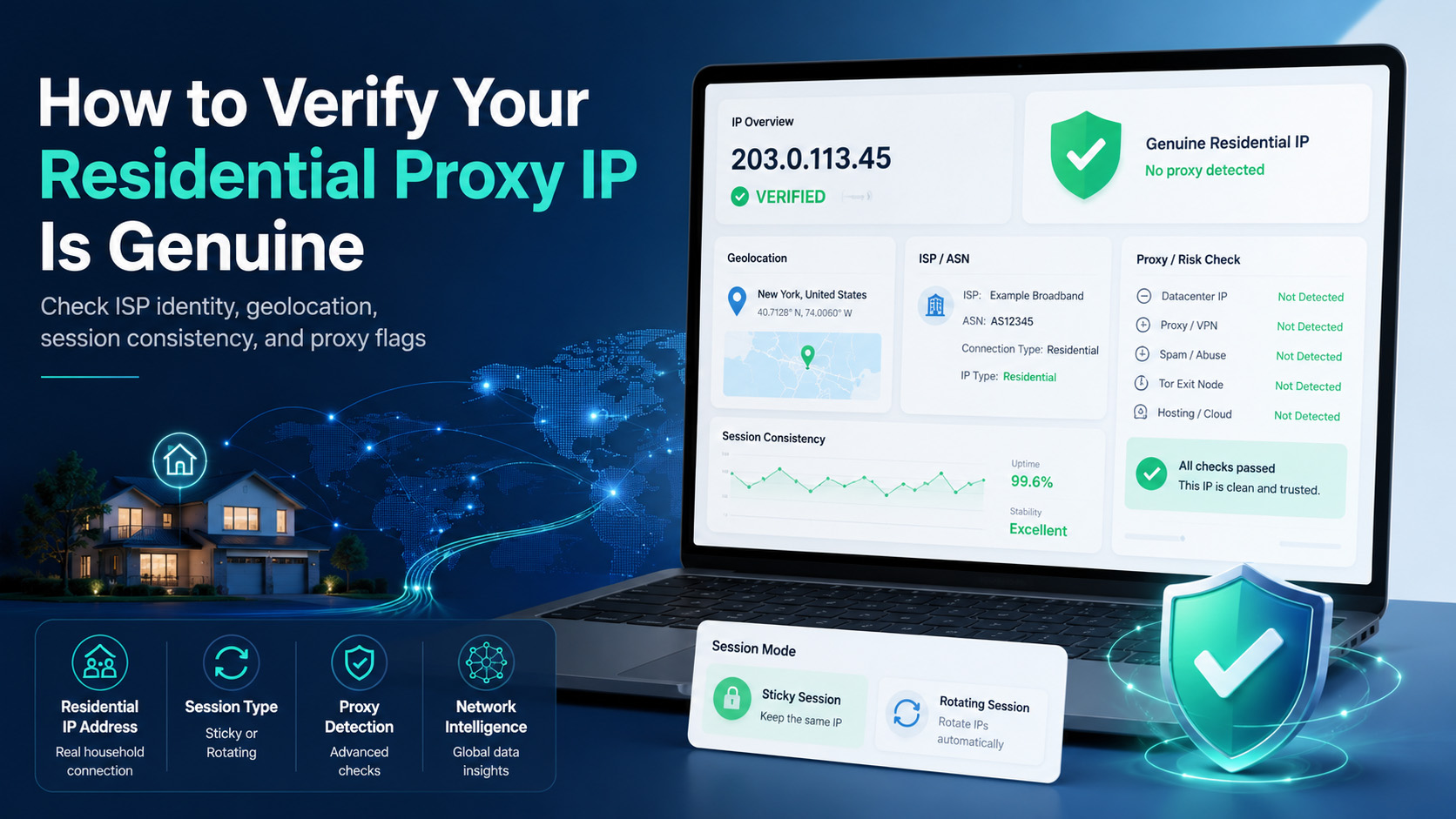
A residential proxy IP is only useful if it behaves like the thing you paid for: a consumer ISP address that matches the geography you selected and isn’t already associated with proxy-detection datasets that your workflow cares about. The practical test is not “does the proxy connect,” but “does the IP classify as consumer traffic, stay consistent with the session policy I chose, and avoid obvious proxy flags in the intelligence sources and logs I actually use.”
That distinction matters because residential IPs can still be identified as part of known proxy networks, and no single lookup tool gives you the full answer by itself. The right way to verify a residential proxy IP is to combine network identity checks, proxy-intelligence checks, geolocation checks, session-consistency checks, and one low-risk validation pass before you put the IP into production.
What does “genuine” and “not flagged” actually mean?
A genuine residential proxy IP should resolve to a consumer ISP context rather than a hosting provider or cloud ASN, because residential proxies are supposed to route through ISP-assigned household connections instead of datacenter infrastructure. If the IP looks like hosting or server infrastructure, that’s the first warning sign that you’re not dealing with the type of route you expected.
“Not flagged” does not mean “invisible everywhere.” It means the IP is not currently associated with proxy, VPN, or residential-proxy datasets that are relevant to your risk model, traffic filters, or measurement workflow. That’s why a clean verification result is always conditional: an IP can look fine in one dataset and still be associated with a known proxy service in another.
IPinfo’s residential proxy dataset is a good example of what “flagged” looks like in practice. Its sample response includes fields such as service, last_seen, and percent_days_seen, which means the question is not only “is this IP residential,” but also “has this IP already been observed as part of a residential proxy service, and how recently.”
How should you verify a residential proxy IP step by step?
The cleanest verification workflow has five steps: confirm ISP identity, check proxy-intelligence datasets, confirm location consistency, validate session behavior, and then decide whether the IP is safe for your intended workflow.
Prerequisites
Before you start, collect the proxy endpoint, the claimed country or city, the session mode you intend to use, and one IP-check endpoint or API you trust for verification. If your provider supports sticky sessions or location targeting through username parameters or dashboard settings, pull those details directly from the provider docs or control panel rather than guessing the format in code.
Step 1: Confirm the IP belongs to a consumer ISP
Start with the simplest question: what network is this IP actually coming from? Residential proxies should sit in consumer ISP ranges, while datacenter proxies usually resolve to hosting ASNs and server operators.
Use a public IP lookup or ASN tool and check the organization behind the exit IP. If the result points to a household broadband provider or consumer ISP, that supports the “genuine residential” side of the test; if it points to cloud or hosting infrastructure, the IP does not match the residential claim.
This step is necessary, but it is not enough. Spur’s detection guidance makes the same point from the other side: residential proxy traffic can still look suspicious when session behavior, ISP shifts, and geographic patterns don’t line up with normal consumer usage.
Step 2: Check whether the IP is already tied to a proxy service
After you confirm the ISP context, check whether the IP appears in a proxy-intelligence dataset. IPinfo’s residential proxy detection product is specifically built to identify IPs associated with residential proxy providers, and its sample output explicitly returns the provider name and the last time the IP was seen in that context.
If you have API access, a direct query looks like this:
curl https://ipinfo.io/resproxy/YOUR_IP?token=$TOKEN
That endpoint matters because it answers a different question than a basic IP lookup. A residential IP can still be real consumer-routed traffic and also be recognized as part of a residential proxy service, which is exactly the situation you’re trying to screen for here.
This is also why relying on one detector is risky. 24metrics recommends combining multiple signals instead of depending on IP reputation alone, and that matches the broader pattern in residential proxy detection: context beats any single score.
Step 3: Confirm geography and ISP consistency
A residential proxy IP should line up with the location you requested from the provider. If you bought a U.S. route and the verification stack reports a different country, or if the session flips between unrelated ISPs or cities, that is a quality problem even if the IP still connects successfully.
Spur specifically lists rapid shifts across unrelated ISPs, suspicious geographic clustering, and short-lived sessions as important signals in residential proxy analysis. For a legitimate user, that translates into a simple rule: if your own configuration is creating those patterns, your traffic may look lower quality than you think.
This is where provider-side control becomes useful. If you need to verify traffic by user, location, or performance over time, a provider with usage monitoring, sub-user controls, IP whitelisting, and rotating residential support makes that job easier; Proxy001’s residential product page publicly lists those controls.
Step 4: Verify session behavior matches your configuration
Now check whether the IP behavior matches the session mode you intended to buy. If you configured sticky behavior, the IP should remain stable for the expected session window; if you configured rotating behavior, the exit IP should change according to the provider’s routing policy instead of staying fixed unexpectedly.
This matters because “looks residential” and “works as configured” are not the same thing. Spur highlights rotation patterns and mismatched telemetry as strong indicators in residential proxy analysis, which means unstable or contradictory session behavior can create quality issues even before you hit a stricter target environment.
A practical verification pass is simple:
Open an IP-check endpoint through the proxy.
Record the returned IP, location, and ISP.
Repeat the check under the same session.
Repeat again with a new session token or fresh rotation path.
Compare the results against what your provider promised for sticky or rotating use.
Step 5: Make a pass/fail decision
At this point, you should be able to answer five questions:
Does the IP resolve to a consumer ISP instead of hosting infrastructure?
Is it absent from the proxy-intelligence datasets you checked, or already associated with a known residential proxy service?
Does the location match the geography you requested?
Does session behavior match sticky or rotating expectations?
Do your own logs show consistent, low-friction behavior during a low-risk verification pass?
If the answer is “no” on any one of those, don’t treat the IP as production-ready. A residential proxy IP should earn its place through consistent evidence, not through one successful connection test.
What should you log and verify before production?
The minimum useful verification record is small. Keep the exit IP, ASN or ISP name, reported country and city, session identifier, verification timestamp, and whether the IP appeared in any proxy-intelligence result you checked.
If your provider exposes per-user or per-session usage data, keep that next to the verification record too. That helps you answer a very practical question later: “Was this a bad IP, a bad session, or a bad configuration choice?”
Success should look like this:
The IP resolves to a consumer ISP context.
The location matches the purchased region.
Sticky sessions stay stable when they should, and rotated sessions actually rotate when requested.
The IP is not currently associated with the proxy-detection datasets you rely on for internal validation.
That last point needs one caution. No provider can promise a residential IP will never be recognized by any third-party dataset, because those datasets update continuously and use different attribution methods. What you can verify is whether the IP is presently acceptable for your workflow according to the sources and signals you actually monitor.
What usually causes a residential proxy IP to fail verification?
The most common failure is assuming that “consumer ISP” automatically means “clean.” Residential proxy detection products exist precisely because real ISP addresses can still be attributed to known proxy services.
The next failure is checking only geolocation and ignoring ISP or ASN context. An IP can show the right country and still be the wrong network type for the job.
Another common problem is misreading session behavior. If the provider keeps a sticky route alive, repeated checks may return the same IP by design; if you expected rotation and never changed the session path, that is a configuration issue, not proof that the proxy is fake.
There is also the false-positive side. IPinfo’s guidance for users whose own IPs are flagged as residential proxies recommends checking the IP data first, cleaning up unnecessary software, monitoring DNS and firewall behavior, and contacting the ISP if needed. So if you are testing a home or office IP and it appears in a proxy dataset unexpectedly, do not assume fraud first; rule out unwanted proxyware or device-level misuse before you escalate.
Top 3 troubleshooting cases
Symptom: The IP looks residential, but a detector ties it to a proxy service.
Likely cause: The IP is part of a known residential proxy pool.
Fix: Retire it from sensitive workflows or ask the provider for a different route, then rerun the same verification stack.Symptom: The location is right, but the ISP or ASN looks like hosting infrastructure.
Likely cause: The route is not truly residential.
Fix: Reject it for residential-only use cases and replace it with an IP that resolves to a consumer ISP context.Symptom: The IP never rotates, or rotates when it should stay stable.
Likely cause: Session settings and provider-side behavior do not match your expectation.
Fix: Check the provider’s sticky or rotating configuration, then verify again with repeat IP checks under the same and fresh sessions.
Compliance note and CTA
Use residential proxy verification for approved business workflows such as regional QA, ad verification, localized content validation, fraud analysis, and traffic-quality testing. The goal of this process is quality control and risk reduction: confirming that your provider delivered the network type you bought, and checking whether that IP is already associated with proxy-detection datasets relevant to your own environment. It should not be turned into a playbook for defeating platform defenses or working around someone else’s access controls.
If you want a provider that gives you more control over the verification side, Proxy001 is a practical option because its residential product page publicly lists real-time usage and performance monitoring, sub-user management, IP whitelisting, global coverage, rotating residential support, 99.5% average success rates, and 99.9% IP availability. Those controls make it easier to separate test traffic, verify routes by geography and session, and replace weak endpoints before they affect production work. Start by validating one region, one session policy, and one logging workflow first. Once those checks are stable, expand gradually instead of assuming every residential IP in the pool is equally trustworthy on day one.
