


Before configuring unlimited residential proxies, please confirm whether you have already purchased an unlimited plan. Unlimited residential proxies currently do not support city selection, so the following steps will not include this option.
Accessing Proxies via Username/Password
Go to the [Dashboard] and select [Unlimited Residential Proxies].
Click [Get Proxies].
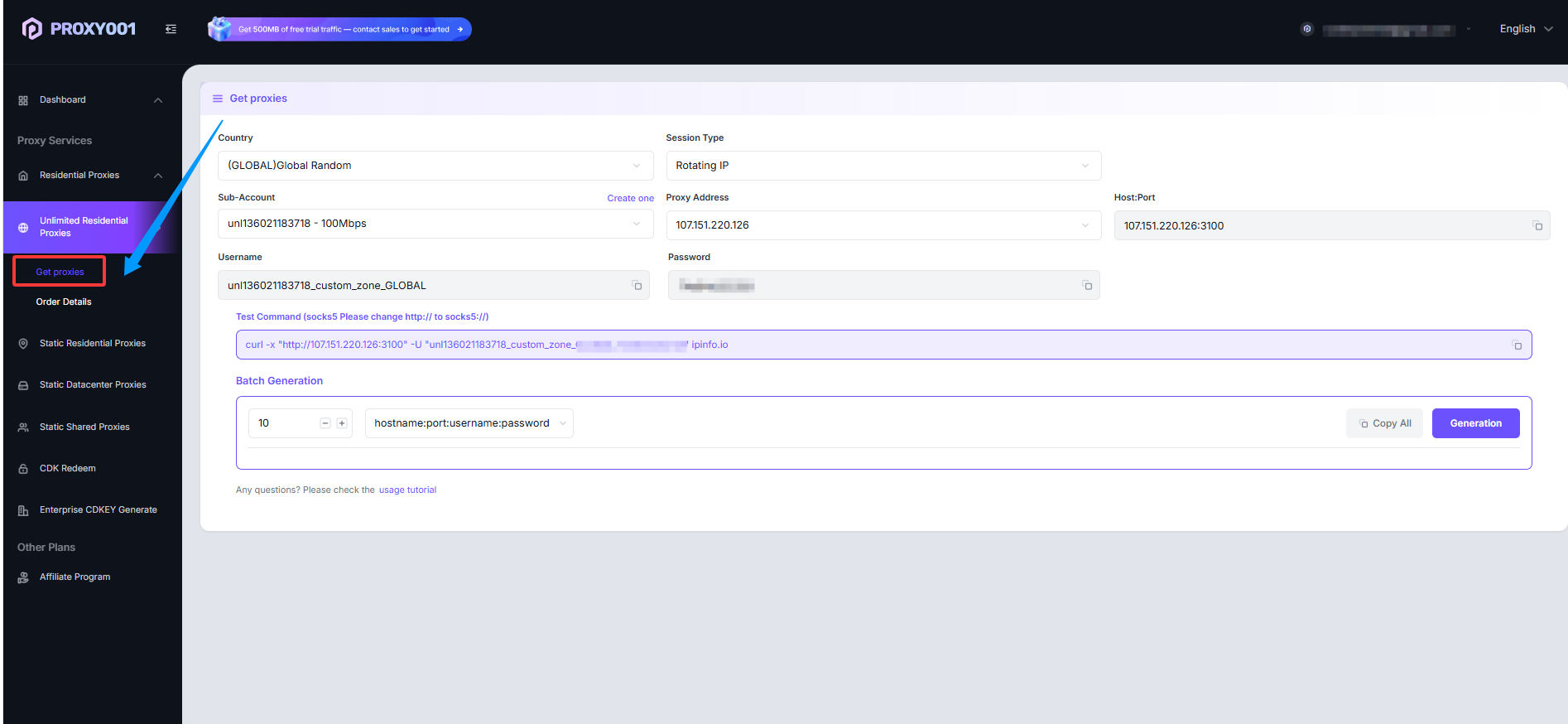
Select the Country.
Select the Session Type:
Rotating IP: Rotates the IP with every request.
Sticky IP: Allows you to set a fixed IP duration.
Select the Sub-user that needs proxy access. (Sub-accounts are automatically assigned upon purchase; if you buy multiple plans, you can filter them here).
Proxy Address: Automatically assigned by the system.
Host Port: Automatically assigned by the system.
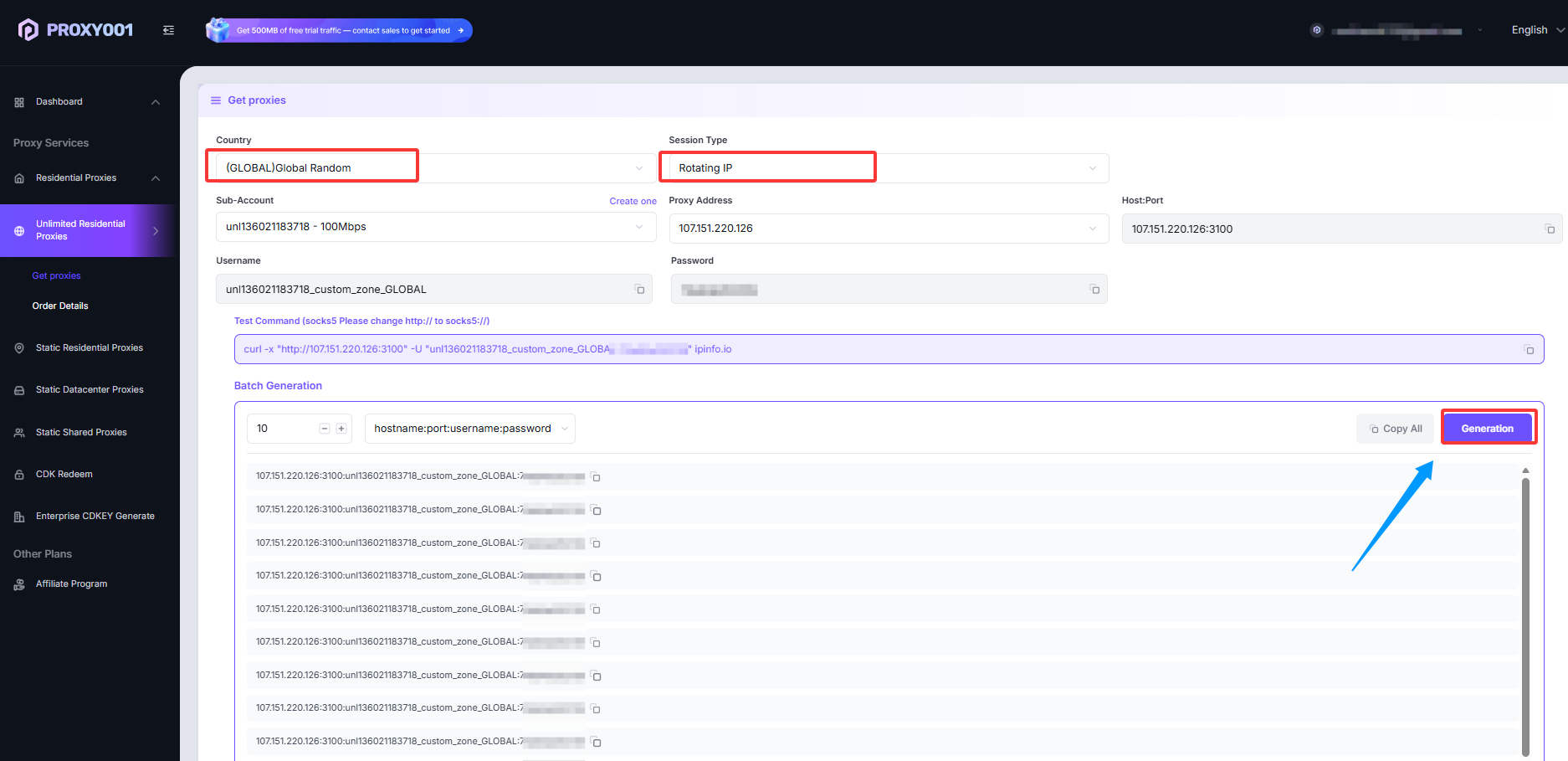
On the right side of the dashboard, select the proxy quantity and format, then click Generate to get your available proxy list in the Proxy Generator.