


This article will provide you with the usage method for username/password authentication. The entire process is very simple and only requires operations on the webpage.
1. Basic Setup
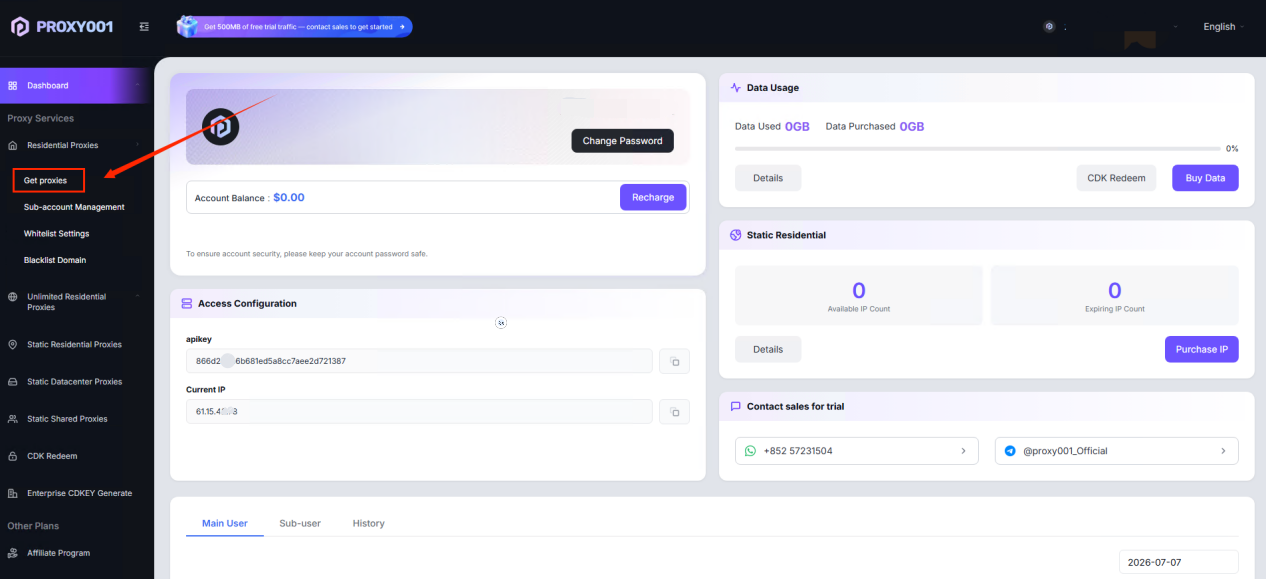
Go to【Dashboard - Residential Proxy】 page, click 【Get proxies】.
2. Generate Command: Click 【Generate】 button
GenerateIPNumber of links: Create based on your needs, single generation link range: 1-10000
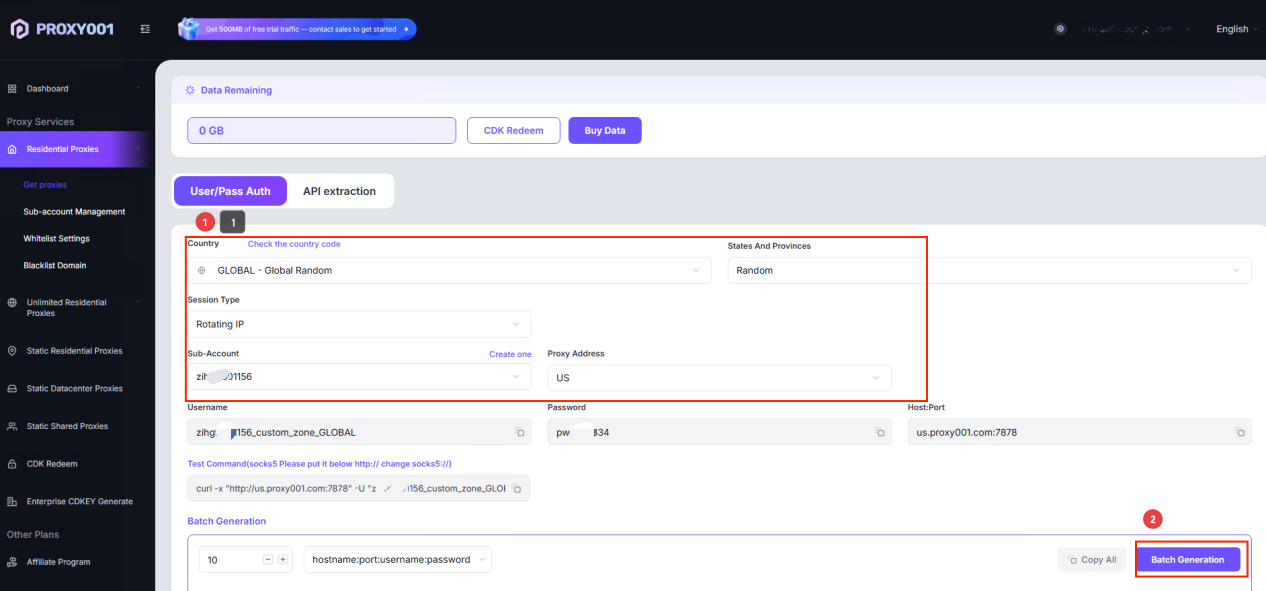
Function Introduction:
Username: Password. Assigned by default based on the user login account.
Select Country. Choose a specific country or a random country. Click “View Country Codes”
to see other locations.Select City. Choose a specific city or a random city.
Select Hostname:Port. The port in username/password authentication is the server port,
which is automatically assigned to the user and cannot be modified.Select Sticky IP(also known as fixed duration rotation): Custom Settings1-180 minutes;
Rotating IP(also known as rotation per request): Change IP with each request.
3.After generation is complete, you will obtain the IP format【hostname:port:username:password】.
You can configure it in your computer, Google Chrome, Firefox, or incognito browser. For details,please refer to the “Third-Party Integration, Global Proxy” tutorials!