


This article introduces how to set up whitelists and access APIs.
1. Basic Setup
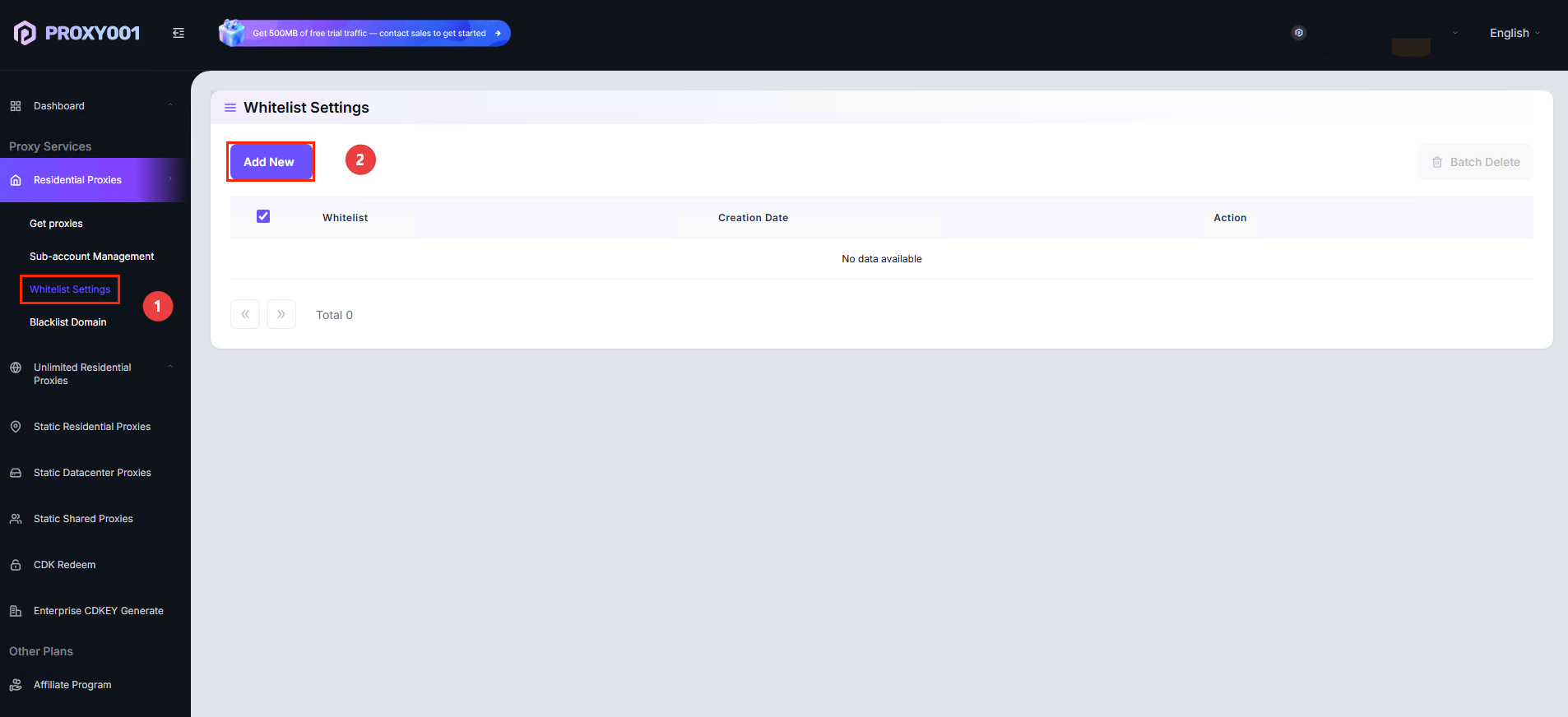
Select 【Dashboard - Residential Proxy - Whitelist Settings】page, enter the 【Whitelist】page.
2.Click 【Add】whitelist, enter【IP】, click Confirm to complete【Whitelist Settings】.
How to Get the API?
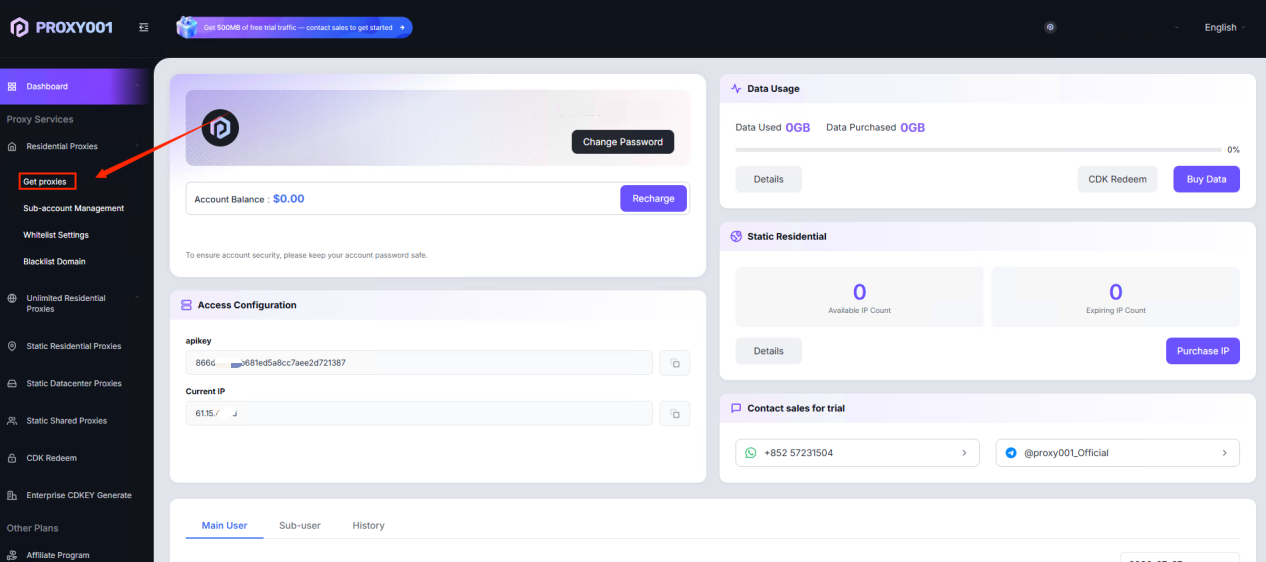
1.Go to Proxy001 【Dashboard】page, open【Residential Proxy - Get proxies-API extraction】.
2. Filter the conditions you need【Country, quantity extracted, protocol, data format】.
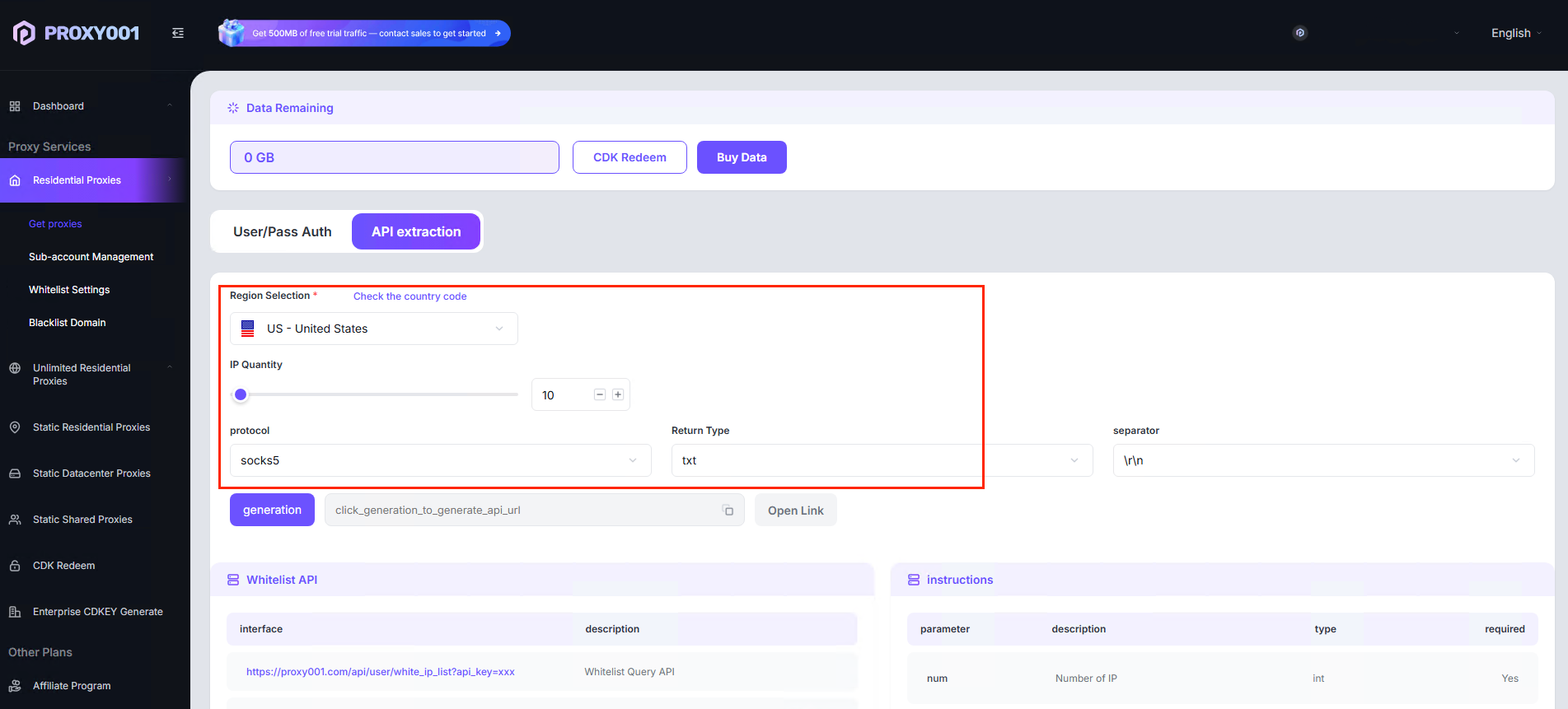
3. After filtering is complete,【generate the API link- open the link】, you will obtain the IP+Port format!

Finally, you just need to configure the【IP+Port】 in Google Chrome or third-party software integration for use!